Realtime
Screens that update themselves the moment the data changes.
When one person books the last table, everyone else should see it straight away. Every insert, update and delete emits a change event, one line in a screen follows them, and topics carry your own live messages to every browser that listens.
- 12:04:31ticket insertT4 · 2 × risotto
- 12:04:12booking updatestatus → seated
- 12:03:58topic orders.ready{ table: "T2" }
- 12:03:40booking insertparty of 4, 19:30
- One line
- app.live("table") in an effect
- Change events
- On every insert, update and delete
- Topics
- Publish and subscribe over SSE
- Access applies
- Users only receive rows they may read
How realtime works
In a component, call app.live("table") inside useEffect and return what it gives you, the unsubscribe.
Read rows with app.rows("table"). They refresh whenever any user or workflow changes the table; custom queries refetch on app.revision.
For messages that aren't row changes, publish to a topic from a workflow and subscribe from the browser. A topic message can also start a workflow.
// the board refreshes as tickets change
useEffect(() => app.live("ticket"), [app]);
const tickets = app.rows("ticket");

// a filtered query that stays fresh
const rev = app.revision("ticket");
useEffect(() => {
  void app.query("ticket", { where: { status: "open" } })
    .then((r) => setOpen(r.rows));
}, [app, rev]);

// in a workflow: tell everyone who listens
await ctx.topics.publish("orders.ready", { id: row.id });
Live features without a websocket server
Live lists
app.live plus app.rows keeps a list current with no polling and no websocket code.
Change data capture
Every insert, update and delete emits a change event that can reach a screen or start a workflow.
Topics
Publish from a workflow, subscribe over server-sent events: all a chat room or a notification bell needs.
Private by default
Access still applies. A member following bookings only receives their own rows.
Watch it happen
Backend, Live streams change events and topic messages from dev or prod; agents get the same with tail.
Durable where it matters
Treat live events as a refresh signal, and use a workflow for work that must happen.
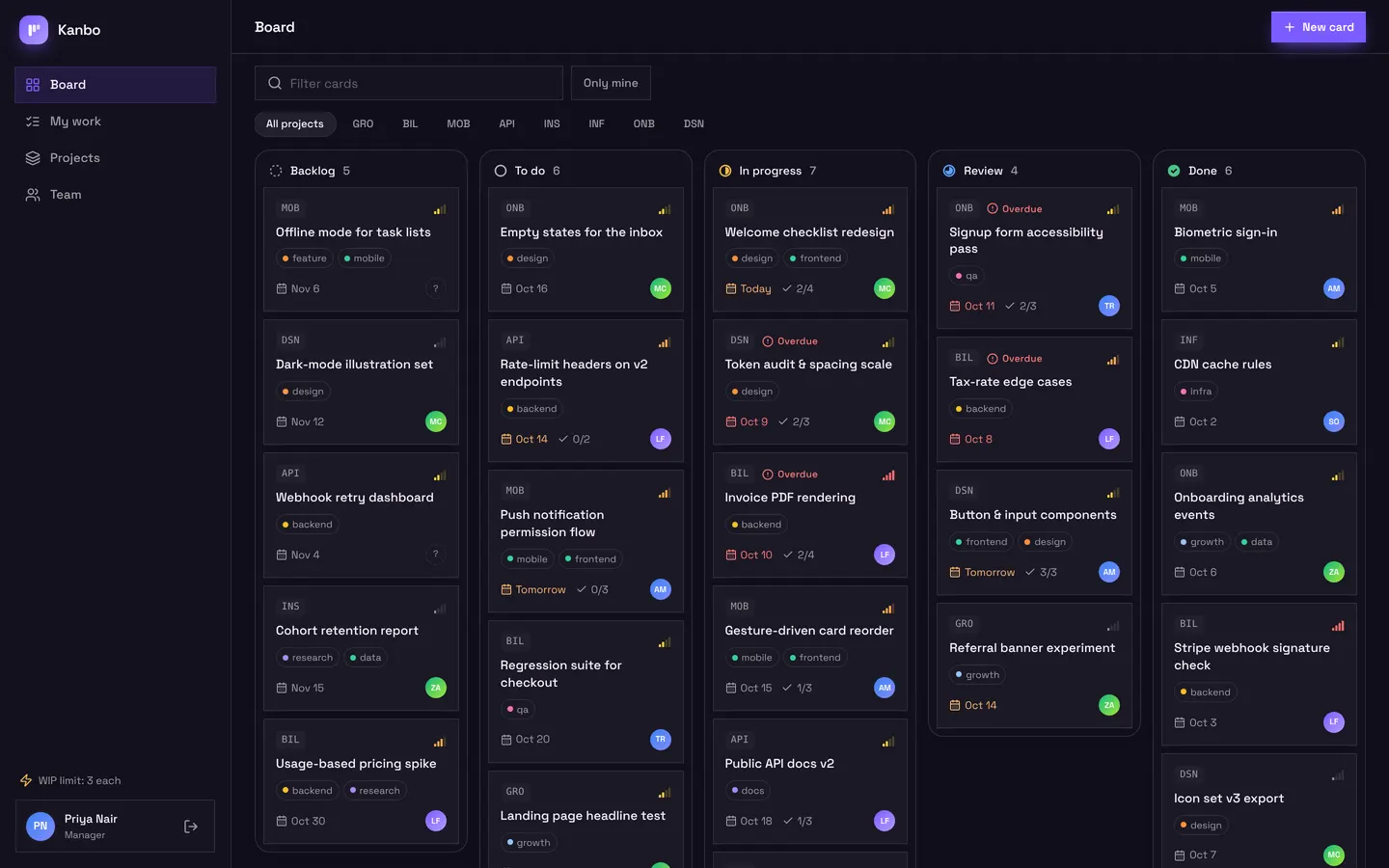
Kanbo's board updates in every open window
Open Kanbo in two windows and drag a card in one: it moves in the other. Tablefor's kitchen board works the same way, showing tickets to the chef as guests are seated.
Works with
Realtime: common questions
How do I make a list update in real time?
Call app.live("table") inside a useEffect and return the unsubscribe, then read the rows with app.rows("table"). The list refreshes whenever anyone changes the table.
Do users receive rows they shouldn't see?
No. Access rules apply to live updates, so each user only receives rows they are allowed to read.
Can I send my own realtime messages?
Yes. Publish to a topic with ctx.topics.publish in a workflow and subscribe over server-sent events at /__appbricx/topics/<name>/subscribe.
Are realtime events a durable queue?
No. Treat them as a signal to refresh. Work that must happen belongs in a workflow, which is queued, retried and logged.