Weekly KPI email
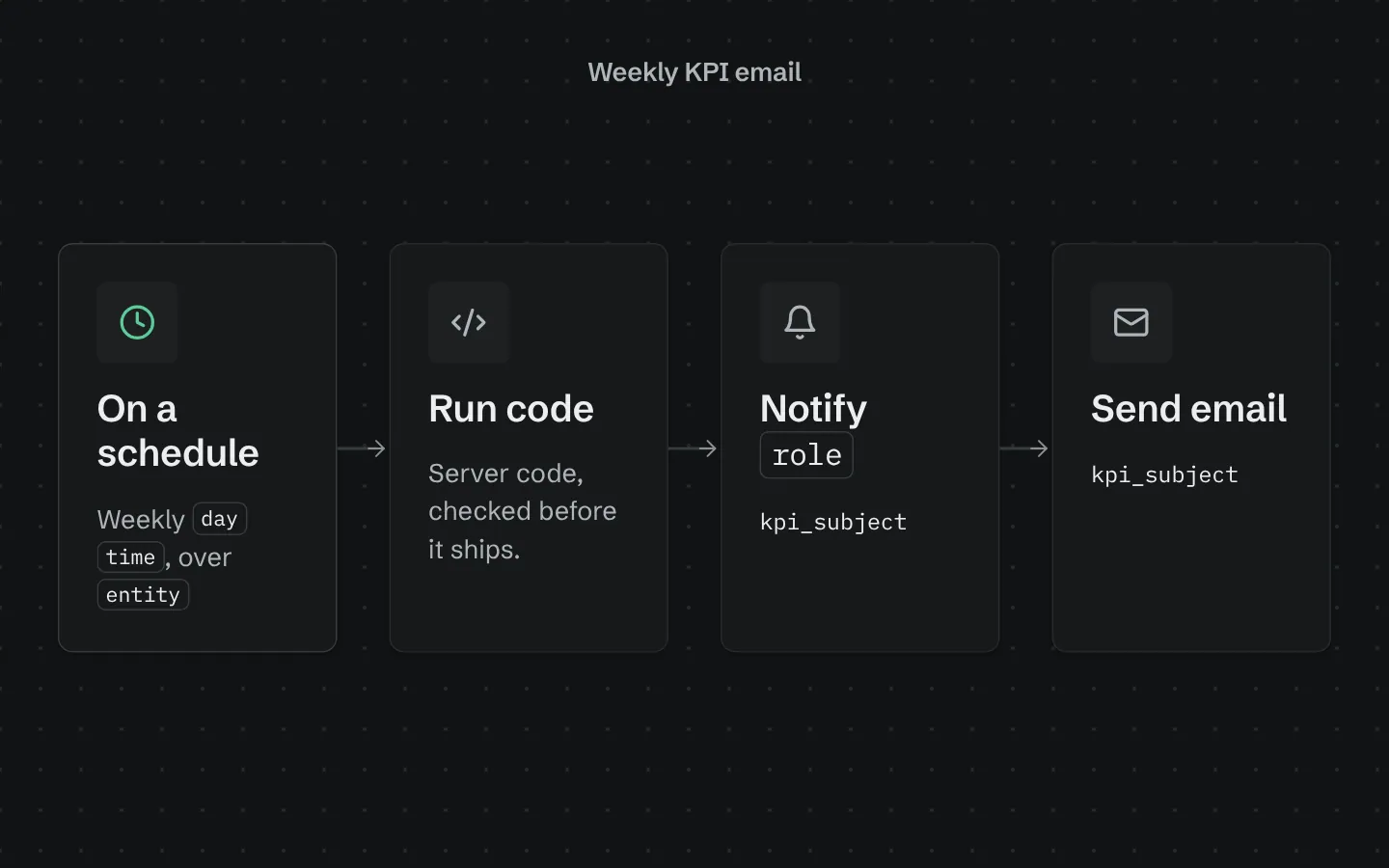
A scheduled workflow that looks at the last 14 days of one table and compares the last 7 with the 7 before: how many rows came in, the total and average of a number field (revenue, hours, amounts) and a breakdown by a choice field such as status. It goes to everyone with the role you choose as an in-app notification and an email, on the day, time and time zone you set, with a link back to the app.
What it adds to your app
A weekly schedule over one table. An in-app notification and an email to a role, with week-over-week changes.
How its workflows run
Each one is a server workflow in your project: it runs on its trigger, with retries, and its runs show in the builder's log.
- Weekly ‹entity› KPIs by email
On a schedule:
schedule weekly ‹day› ‹time› over ‹entity›. Then: Run code, then Notify ‹role›, then Send email.
Set it up
It merges into the contract of an app you already have. Nothing is overwritten: a name you already use is refused until you pass a prefix.
- Pick the project
Use the button above, or ask your coding agent with the Appbricx MCP server connected (quickstart).
- Point it at your tables and roles
Leave out the ones with defaults; a wrong one is refused with the options your app has.
Param What it is Example entityThe table whose rows the report counts. ordervalue_fieldOptional: a number field to total and average, such as an amount. Optional. totaldate_fieldThe date that puts a row in a week. Optional. created_atgroup_fieldOptional: a choice field to count this week's rows by. Optional. statusroleThe role that receives the report (every user with it). Optional. staffdayThe day it goes out: mon, tue, wed, thu, fri, sat or sun. Optional. montimeWhen it goes out, 24-hour HH:MM. Optional. 08:30tzThe IANA time zone for the day and time (empty means UTC). Optional. Europe/Londonformatnumber or currency. Optional. currencycurrencyISO currency code when the format is currency. Optional. GBP - Preview, then apply to dev
A dry run shows the diff and the check report; applying it changes your dev environment only.
- Deploy
When dev looks right, deploy. Production gets a snapshot first, so you can roll back.
Use it with your coding agent
The agent reads the template, runs a dry run, shows you the diff and applies it.
Add the Weekly KPI email template (slug "weekly-kpi-email") to my Appbricx project. Read it with get_template, run use_template with dry_run first and show me the diff, then apply it. Ask me where it attaches if you can't tell from my contract (entity: table to report on; value_field: number to total (optional); date_field: date field; group_field: break down by (optional); role: who gets it; day: day; time: time of day; tz: time zone; format: number format; currency: currency).{
"tool": "use_template",
"arguments": {
"slug": "weekly-kpi-email",
"project_id": "<your project id>",
"params": {
"entity": "order",
"value_field": "total",
"date_field": "created_at",
"group_field": "status",
"role": "staff",
"day": "mon",
"time": "08:30",
"tz": "Europe/London",
"format": "currency",
"currency": "GBP"
},
"dry_run": true
}
}appbricx templates use weekly-kpi-email --param entity=order --param value_field=total --param date_field=created_at --param group_field=status --param role=staff --param day=mon --param time=08:30 --param tz=Europe/London --param format=currency --param currency=GBP --dry-runGoes well with
Pulse
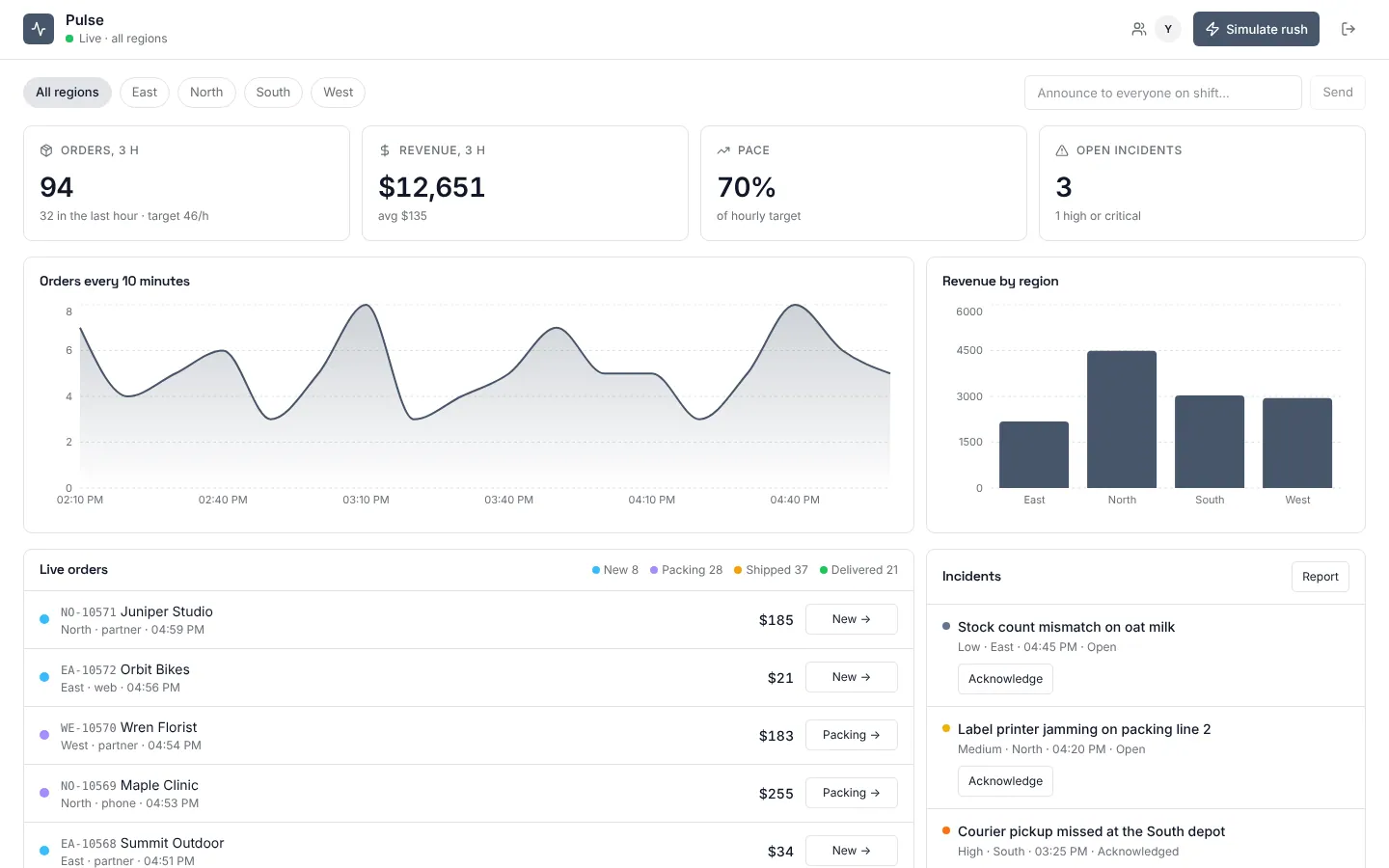
Live operations dashboard: orders, revenue and incidents that update as they happen, with region leads who see only their own region.
Daily digest
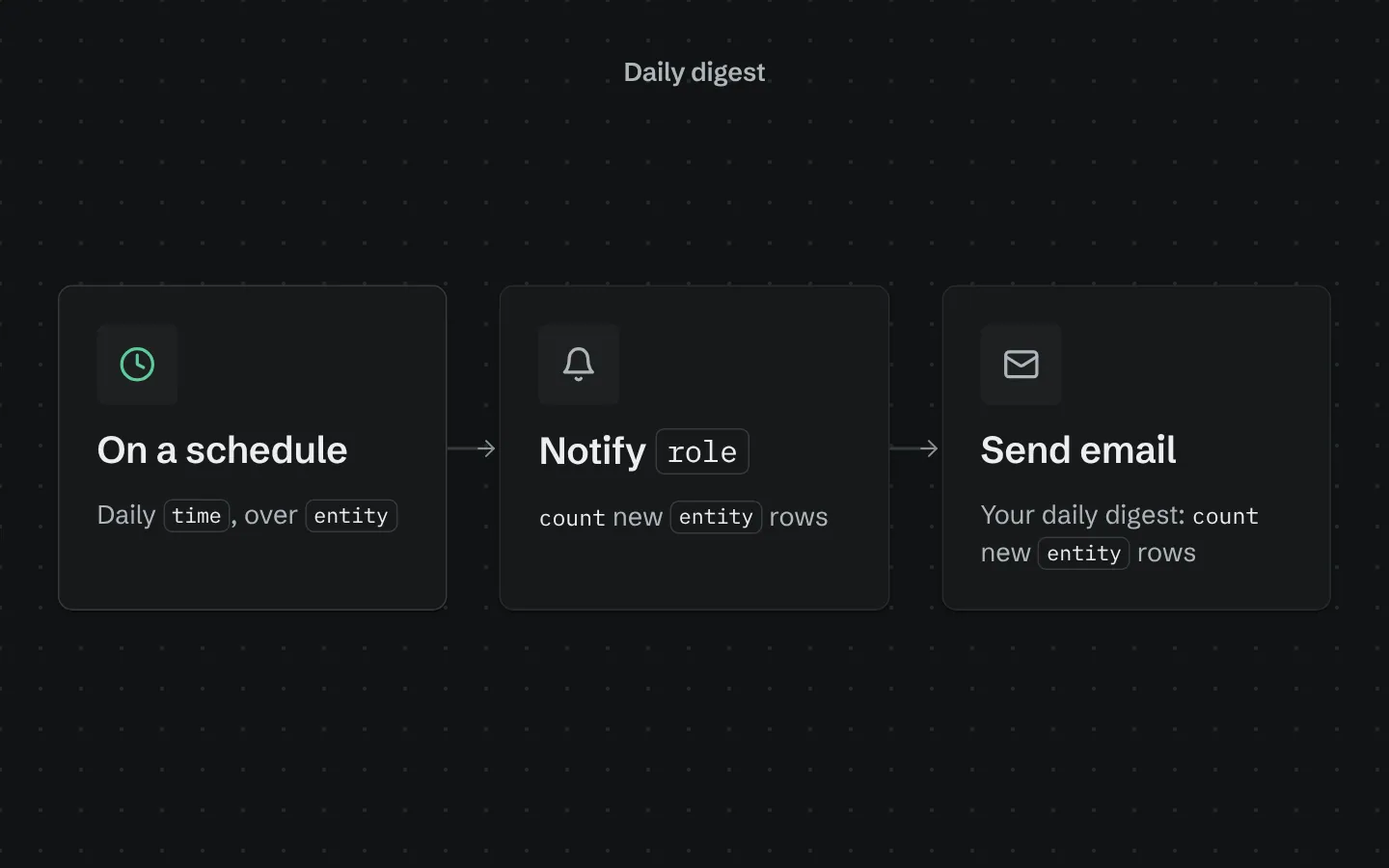
Every morning, sends your team a digest of yesterday's new rows in one table, in-app and by email.
KPI chart cards
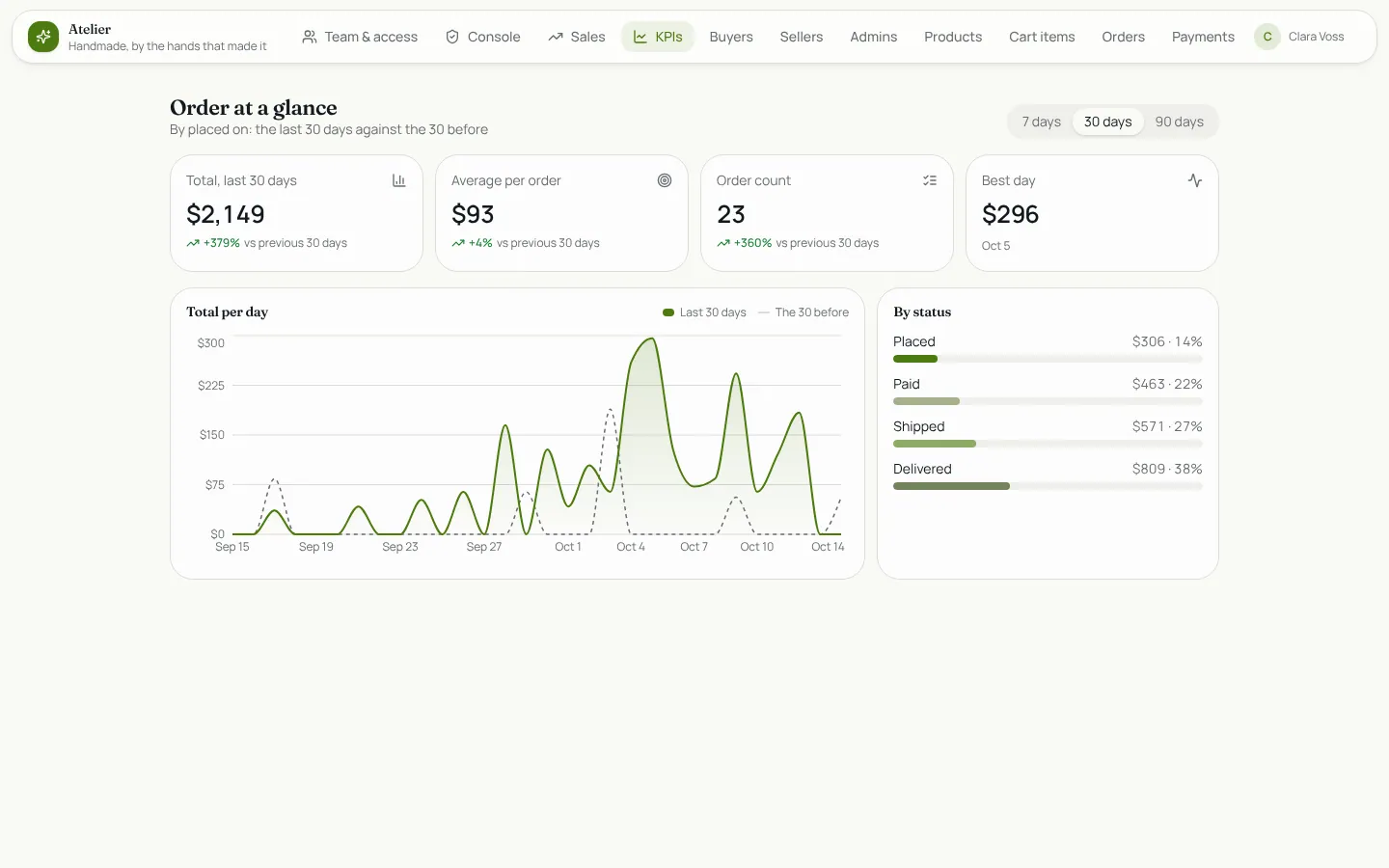
KPI cards and a trend chart for any table: total, average and count over 7, 30 or 90 days, the change on the period before, and a breakdown.